React.jsViteTailwind CSS3+
Web DevelopmentCargo TON (Single-Page Application (SPA))
🔖 Introduction About the project Introduction This project is a single-page application (SPA) for Cargo TON , a fictional logistics company. It was built using React.js with Vite as the build tool, ensuring fast development and performance. The site aims to showcase logistics services and attract clients with a modern, user-friendly interface. Design and Features The website adapts to all screen sizes, offers light and dark mode options, and includes a navigation bar with dropdowns for easy access. It showcases Cargo TON’s services, displays customer testimonials for trust, and keeps users updated with a blog section. These features ensure the site is both functional and appealing, catering to business owners and casual visitors alike. Development Process The development phase details the technology stack, architecture, and key features implemented. The stack includes React.js with Vite for the framework, React Router for navigation, Tailwind CSS for styling, Shadcn UI for reusable components, and Lucide Icons for visual appeal. The site has client-side routing, leverages React Router for seamless page transitions, and provides static content for services, testimonials, and blog posts with no backend integration. Data is hardcoded or fetched from local JSON files, with components like the navigation bar included across routes. 🤔 Problem space Problems to Solve/Requirements to Create The problem space identifies key issues for a fictional company, hypothetically facing challenges in establishing an online presence. The top-level overview includes: Inadequate Service Presentation Extended Problem Statement: The company lacks an effective online platform to showcase its logistics services, such as ocean freight, air freight, and warehousing, making it difficult for potential clients to understand offerings. Current Solution: The company may have a basic website or no website, relying on word-of-mouth or physical brochures, which limits reach and engagement. How do we know it’s a problem: Without a clear presentation, potential clients might choose competitors with better online visibility, as evidenced by industry trends showing 70% of B2B decisions start with online research. Poor User Experience on Mobile Devices Extended Problem Statement: The existing site (if any) is not responsive, leading to a poor experience for mobile users, who are increasingly accessing logistics information on the go. Current Solution: Users might zoom in and out or navigate awkwardly on non-responsive sites, or avoid the site altogether. How do we know it’s a problem: Metrics show 60% of web traffic comes from mobile devices, and user feedback from similar sites indicates frustration with non-adaptive layouts. Outdated or No Blog Section Extended Problem Statement: The company lacks a blog or news section to keep users informed about industry trends, company updates, or logistics tips, missing opportunities to engage and build trust. Current Solution: No regular updates, relying on static content that quickly becomes irrelevant. How do we know it’s a problem: User feedback from competitors’ sites shows blogs increase engagement by 30%, and regular updates help in SEO rankings, as per industry reports. These problems were addressed by developing a responsive website with a services section, mobile optimization, and a dynamic blog area, ensuring cargo TON meets client needs effectively. Why solve these problems? Addressing these problems is crucial for establishing a competitive online presence for Cargo TON. Reasons include: To attract more clients by clearly presenting services that align with the company’s goal of client acquisition. To improve user experience, especially on mobile, catering to a larger audience in an increasingly mobile-first world. To engage users with regular updates, building trust and community, which is vital for long-term client relationships. A user satisfaction matrix could show current low satisfaction in mobile experience and engagement, with the project aiming to shift these to high satisfaction post-implementation, though specific metrics are hypothetical for a fictional company. Goals and Objectives Company Objective 🎯 The company's objective is to establish a strong online presence and increase client acquisition through the website, which will contribute to Cargo TON’s broader goal of expanding its logistics market share. Project goals Implementing a consistent and modular UI ecosystem using Shadcn UI components for design consistency. Creating a responsive design that works on all devices for accessibility. Providing a theme switcher for user preference, enhancing personalization. Developing an intuitive navigation system with accessibility features. Showcasing services effectively to attract clients. Including a blog section for user engagement. Ensuring performance optimization for fast load times. User Stories User stories outline the needs of different user types, which is crucial for fulfilling project goals: Potential Client: A business owner or manager looking for logistics services. Description: Seeks information on Cargo TON’s offerings to ship goods. Goals: Find services, pricing, and contact details. Needs: Easy navigation to services page, clear descriptions, contact form. Other characteristics: Time-constrained, values quick access to information. Visitor: Someone interested in logistics browsing the site. Description: Explores to learn about the company. Goals: Read blog posts, see testimonials. Needs: Engaging content, easy layout, social proof. Other characteristics: May not be ready to purchase, potential lead for future. These stories guided the design to ensure both user types find value, with features like the services section for clients and blog for visitors. 🌟 Design space UI Design The design space covers UI design, wireframes, high-fidelity mockups, and the design system used. The UI design focuses on a clean, modern look, reflecting Cargo TON’s branding with a color scheme of yellows and blacks , symbolizing optimism, energy, and elegance. The layout is intuitive, with clear calls to action buttons, ensuring easy navigation. Low-fidelity Wireframe Low-fidelity wireframes, created using Figma , outlined the structure of key pages, including the homepage with a slider showcasing services, a services grid, testimonials, and blog section. This helped plan element placement and flow before moving to high-fidelity designs. The design process included the wireframes below. High-fidelity design High-fidelity mockups, developed in Figma , incorporated branding and ensured consistency in typography, colors, and spacing. Key screens include the homepage slider, services page with cards, and blog list, all designed for a professional look. Design system 🎨 The design system utilized was Shadcn UI , a collection of accessible and customizable React components ( Build your component library - shadcn/ui ). It was chosen for its modularity and speed, ensuring consistency across the site while accelerating development. I used the following components: Accordion : For the "Why Choose Us" section, providing an expandable layout for company highlights. Button : For interactive elements like call to actions across the site. Carousel : For the testimonials section, displaying customer feedback in a sliding format. Theme Provider : This is used to enable light/dark mode toggling and enhance user accessibility. Navigation Menu : For the responsive dropdown navigation bar, ensuring easy access to pages. 🧑💻 Development Phase Technology Stack Selection The development phase details the technology stack, architecture, and key features implemented. The stack was carefully chosen for efficiency, flexibility, and a smooth user experience: React.js Vite React Router Tailwind CSS Shadcn UI Lucide Icons Why React.js? Component-Based Architecture : Enables reusable UI components, making the frontend modular and maintainable. Efficient UI Updates : Uses a virtual DOM for faster rendering and smooth interactions. Rich Ecosystem : Offers vast library support, including React Router, for robust development. Why Vite? Rapid Development : Provides fast builds and hot module replacement for quick feedback during coding. Optimized Bundling : Ensures efficient handling of dependencies, boosting performance. Modern Tooling : Simplifies setup and aligns with React.js for a streamlined workflow. Why React Router? Client-Side Routing : Enables seamless navigation between pages without full reloads, enhancing user experience. Dynamic Navigation : Powers the responsive navigation menu, supporting dropdowns and route transitions. Scalability : Allows easy addition of new routes, preparing the site for future growth. Why Tailwind CSS ? Utility-First Approach : Speeds up styling with pre-built classes, reducing custom CSS needs. Responsive Design : Simplifies adaptation to all screen sizes with built-in breakpoints. Flexibility : Pairs with Shadcn UI for quick, branded customizations. Why Shadcn UI ? Pre-Built Components : Offers accessible, ready-to-use elements like accordion and carousel, cutting development time. Customizability : Integrates with Tailwind CSS for styling that matches Cargo TON’s identity. Consistency : Ensures a uniform look across the site, enhancing professionalism. Why Lucide Icons? Visual Clarity : Adds intuitive icons to enhance navigation and content. Lightweight : Integrates easily with React, keeping performance intact. Broad Selection : Provides a wide range of icons to support the logistics theme. Key Features of the Software Responsive Design: Adapts to different screen sizes, ensuring usability on desktops, tablets, and mobiles. Dark/Light Mode Switch: Users can toggle themes, enhancing accessibility, managed via React Context API. Navigation Bar: With dropdown menus for easy access, redesigned the Shadcn UI for accessibility. Services Section: Showcases logistics services like ocean freight and air freight, with descriptions and images, addressing the presentation problem. Testimonials: Displays customer feedback, building trust, with cards styled using Shadcn UI. Blog/News Section: Keeps the site dynamic with recent updates, engaging visitors with industry insights. Design and User Experience Features Feature Technology Used Impact on User Experience Responsive Design Tailwind CSS Consistent experience across all devices Theme Switching Shadcn UI, Vite Personalized and accessible viewing options Navigation Bar Shadcn UI Easy exploration with dropdowns and accessibility Visual Enhancements Lucide Icons, Shadcn UI Engaging and clear interface Performance and Technical Features Feature Technology Used Impact on Development and Performance Reusable Components React.js, Shadcn UI Efficient development and maintenance Performance Optimization Vite, React Router Fast load times and smooth interactions Customizable Design Tailwind CSS, Shadcn UI Unique branding without extensive custom CSS Challenges Faced and Solutions Challenges during development and their solutions include: Integrating Shadcn UI components with Tailwind CSS: Ensuring components work well with the site’s color scheme. Solution: Customized components by overriding styles using Tailwind classes, ensuring branding consistency. Making the site fully responsive: Ensuring all elements function on different devices. Solution: Used Tailwind’s responsive classes and tested on various screen sizes using browser developer tools. Managing state for theme switching: Handling light and dark modes across the site. Solution: I used React Context API for state management, which makes toggling seamless. Future Vision and Next Steps The future vision for Cargo TON’s website includes: Adding a backend: To fetch dynamic data like real-time shipping rates or customer reviews, enhancing interactivity. Implementing user authentication: For personalized experiences, such as client dashboards for tracking shipments. Enhancing the blog section: With commenting or subscription options, increasing engagement. Integrating with social media: To share posts and boost visibility, aligning with marketing goals. Performance optimizations: Using code splitting and lazy loading, ensuring scalability for future features. AI-driven features: AI-powered shipment tracking, underscoring the scalability of the design. Long-term, the vision is to evolve into a fully interactive platform, potentially integrating AI for advanced logistics solutions, reflecting the project’s scalability.
MngoDBReactTailwind4+
Web DevelopmentDairy - Milk Shop Small-Scale POS (POS System)
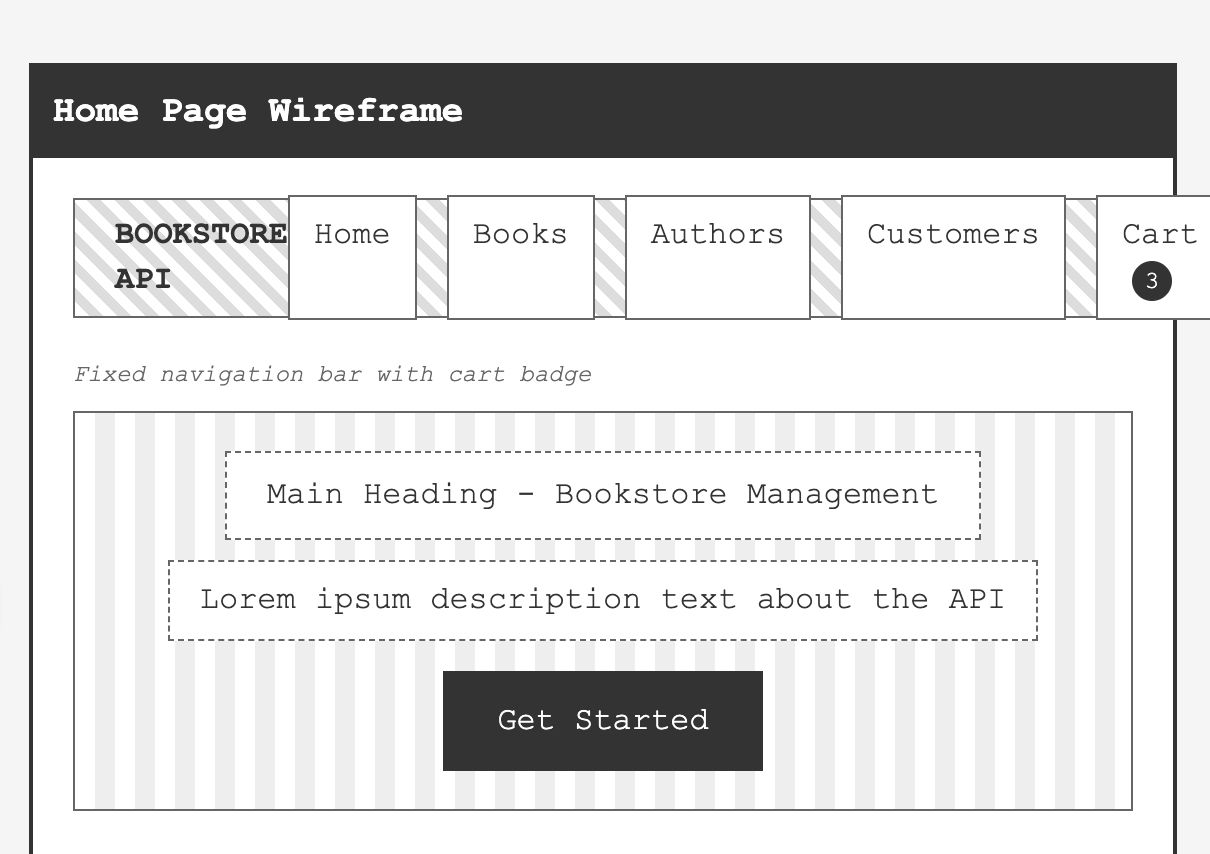
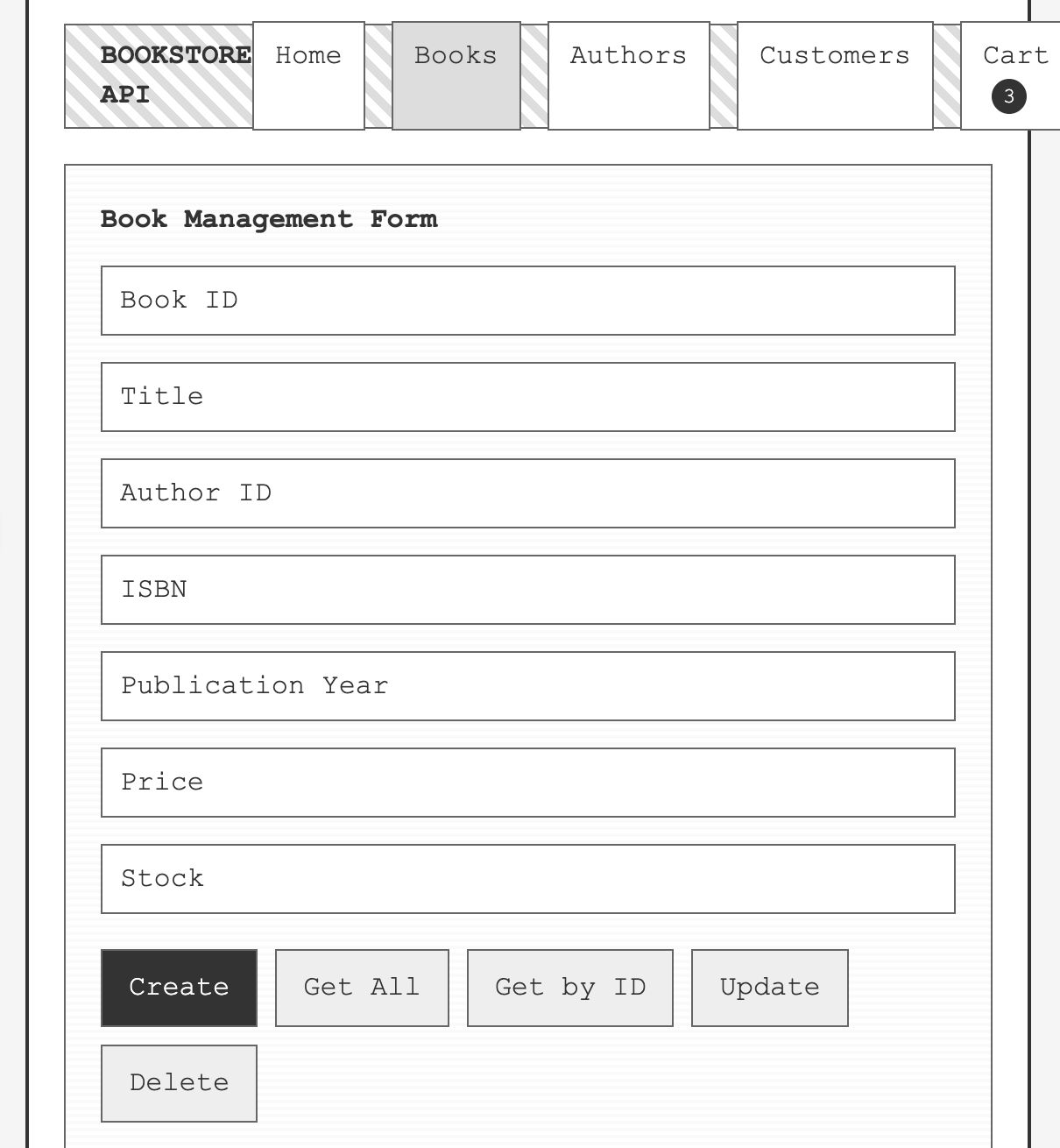
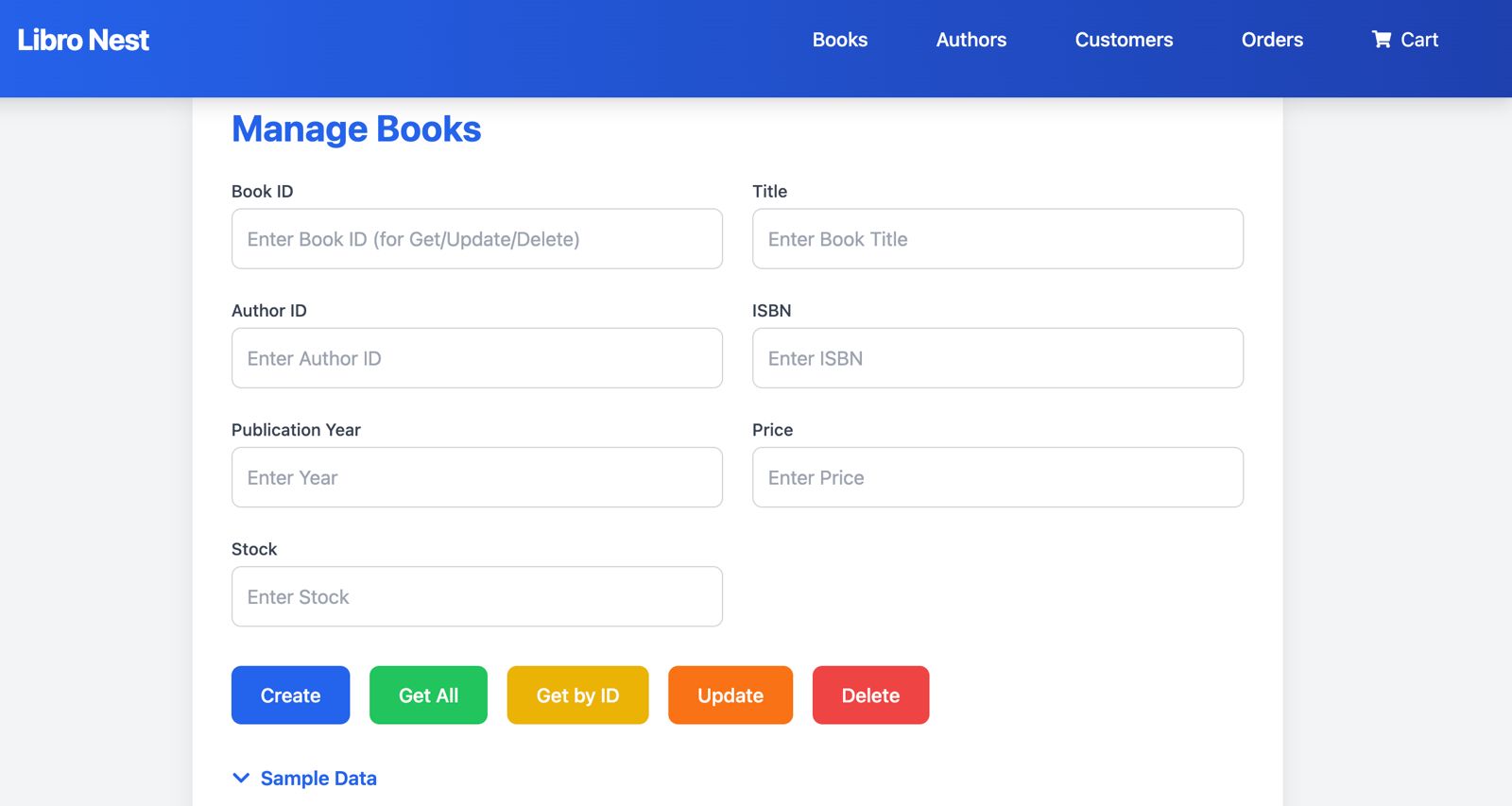
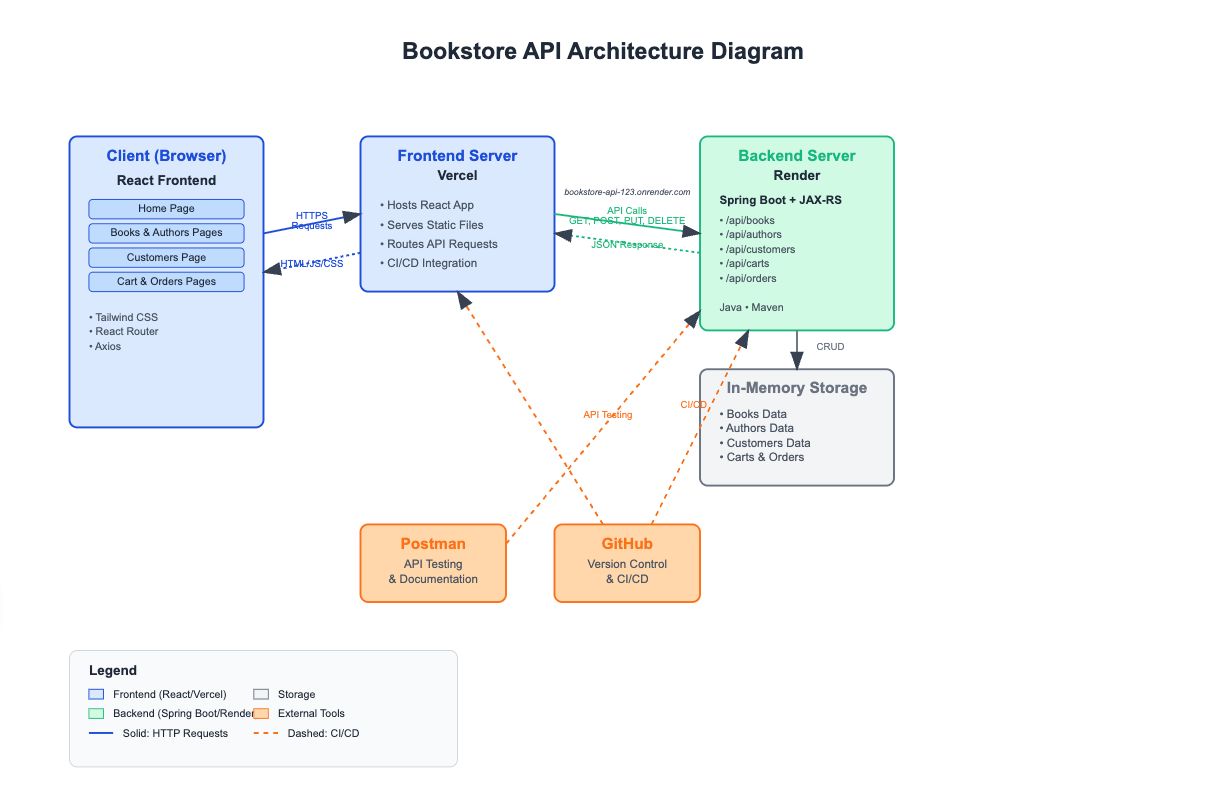
🔖 Introduction About the project An online platform designed to streamline the management of a dairy business. It helps in registering employees, storing information about dairy products, and tracking the milk received from farmers. The system facilitates the exchange of liquid milk for processed dairy products and keeps detailed records of all transactions. Additionally, it generates invoices for transactions, ensuring smooth and efficient operations in the dairy supply chain. 🤔 Problem space Problems to solve/Requirements to Create The Milk Shop app needs to address the following requirements: Allow clients to register and manage employees, track milk received from farmers, and generate invoices. Enable clients to search for milk farmers by name or NIC and modify product prices when entering them into bills. Ensure the app records transaction details, provides a calendar view for scheduling, and allows clients to edit prices for flexibility in billing. 👉 Search Feature : Implement a search feature for finding milk farmers by name or NIC. Current Solution Users currently manually search through extensive lists of milk farmers without an efficient way to filter or locate them quickly. There is no search functionality built into the product. How do we know it is a problem The client mentioned that finding milk farmers manually takes a lot of time and effort, leading to delays in processing transactions. 👉 Price Modification : Enable modification of product prices during billing. Current Solution Currently, users manually adjust prices during billing outside the app, making it prone to human error. The product does not support dynamic price updates during the billing process. How do we know it is a problem The client expressed difficulty in keeping prices accurate during transactions and mentioned that modifying prices manually often causes billing inconsistencies. 👉 Employee Registration : Allow for easy employee registration and management within the app. Current Solution Employee records are maintained manually, often using spreadsheets or separate tools. The app does not offer a centralized employee management feature. How do we know it is a problem The client mentioned that managing employees manually is time-consuming and leads to inefficiencies, as employee data is scattered across different systems. 👉 Product Management : Store and manage detailed information about dairy products. Current Solution Product details, such as names and prices, are manually logged and updated outside the app. The system doesn’t offer a streamlined way to store or manage product details. How do we know it is a problem The client shared that tracking products manually causes mismatches in inventory and delays in product management. 👉 Milk Tracking : Track milk received from farmers, including quantity and quality. Current Solution Milk received from farmers is tracked manually in external documents, which may not capture quality details accurately. The app does not include automated tracking for milk data. How do we know it is a problem The client noted that the current manual tracking method leads to discrepancies in inventory and milk quality, affecting product delivery. 👉 Invoice Generation : Automatically generate invoices for each transaction. Current Solution Invoices are created manually, using external tools or paper, which can result in human error. The product lacks an integrated invoice generation system. How do we know it is a problem The client reported that manual invoicing is time-consuming and often results in errors, causing inconsistencies in billing and customer dissatisfaction. 👉 Transaction History : Record and store all transaction details. Current Solution Transactions are logged manually, often in spreadsheets or paper records, which are not integrated into the product. The app does not provide a history of all transactions in one centralized system. How do we know it is a problem The client mentioned that keeping track of transaction history manually makes it difficult to retrieve data quickly, resulting in delays in auditing and reporting. 👉 Calendar Integration : Integrate a calendar view to track tasks, deliveries, shifts, and deadlines. Current Solution Schedules are manually managed in external tools, such as physical calendars or spreadsheets, with no integration within the app. This makes it harder to stay on top of deadlines and shifts. How do we know it is a problem The client shared that they often miss important deadlines and deliveries because the schedules are not integrated into the app, causing confusion and delays. 👉 Data Security : Ensure data security for sensitive information. Current Solution Data is stored in unencrypted formats, often relying on external systems that don’t offer advanced security features. The app does not implement robust security measures for sensitive information. How do we know it is a problem The client raised concerns about unauthorized access to sensitive data and expressed worries about non-compliance with security regulations. Goals Company objective 🎯 💡 Create an efficient Dairy Management System to streamline milk tracking, invoicing, and employee management. Project goals Project goal : Track milk received from farmers and manage dairy products seamlessly. Project goal : Implement a search feature for quick access to farmer records. Project goal : Enable real-time price modification during billing. Project goal : Develop an employee registration and management system. Project goal : Store transaction history for accurate financial records. Project goal : Integrate a calendar to track tasks, deliveries, and shifts. Project goal : Ensure secure data storage and encryption for sensitive information. Project goal : Use React , Express , and Mongoose for scalability and consistency across the application. Project goal : Implement ShadCN and Tailwind CSS for a clean, modern, and simplified UI/UX experience. User Stories Cashier The Cashier is responsible for handling customer transactions, processing sales, managing product exchanges, and generating invoices. Goals : Efficiently process sales transactions, track milk deliveries, and manage product exchanges. Needs : An intuitive POS system to quickly process transactions, search for milk farmers, modify product prices during billing, and generate accurate invoices. Other characteristic : Works under time pressure, so the system should be fast, responsive, and easy to navigate for quick operations. Admin The Admin manages the overall system, ensuring smooth operation, managing employees, overseeing transactions, and ensuring data security. Goals : Oversee the dairy store’s operations, manage employee registrations, monitor transactions, and ensure data security. Needs : Access to detailed transaction history, the ability to register and manage employees, and secure data handling features for confidentiality and privacy. Other characteristic : Requires access to reports, data analytics, and user management to ensure smooth store operations and address any issues. 🌟 Design space UI Design Main Dashboard Overview The Main Dashboard has two primary tabs: Transaction History Purchase Milk & Dairy Products Purchase Milk & Dairy Products Includes a billing phase for processing milk and dairy product purchases. After successfully entering a bill, it automatically navigates to Transaction History . Transaction History Displays a log of all transactions. Allows users to access the most recent transaction and print details. Other Pages Separate pages for managing products and employees . Development Phase Technology Stack Selection Frontend - React.js with Redux Toolkit (RTK), TanStack Query, Tailwind CSS, ShadCN Why React.js? Component-Based Architecture : React allows us to break down the UI into reusable components, making the codebase modular, maintainable, and scalable as the application grows. Efficient UI Updates : With the virtual DOM, React provides fast and responsive UI updates, ensuring smooth user interactions. Rich Ecosystem : React has a large community and vast library support, enabling faster development and the ability to leverage pre-built solutions. Why Redux Toolkit (RTK)? State Management : RTK provides a simplified approach to managing application state, reducing the need for boilerplate code compared to traditional Redux. Developer Efficiency : Includes tools for data fetching, caching, and state synchronization, streamlining the development process. Simplified Reducers and Actions : RTK reduces the complexity of managing reducers and actions with its built-in utilities and custom hooks. Why TanStack Query for Data Fetching? Automatic Data Synchronization : Keeps data, such as products, employees, and transactions, up-to-date without unnecessary API calls. Background Fetching & Caching : Minimizes repeated requests and optimizes performance by caching data and refetching only when necessary. Optimistic Updates : Enhances user experience by allowing updates to the UI before server confirmation, making the application feel more responsive. Error Handling & Retry Logic : Effectively handles network failures and retries, ensuring the app remains functional in cases of temporary issues. Why Tailwind CSS? Utility-First Approach : Tailwind allows rapid development of custom designs without needing to write a lot of custom CSS. Consistency and Flexibility : Tailwind ensures consistency across the app, while its flexibility allows developers to create unique designs quickly. Responsive Design : Built-in responsive utilities ensure the UI looks great on all devices. Why ShadCN? Modular UI Components : ShadCN enables a streamlined, consistent, and reusable UI component structure, helping maintain UI consistency across the application. Customizable : It allows for easy customization of UI elements to meet specific branding and functional requirements. High-Level Architecture Diagram Description: The system follows a client-server architecture with the React.js frontend making calls to an Express.js server that handles the business logic. MongoDB is used to store dynamic product, employee, and transaction data. The backend handles user authentication, data validation, and communication with the database, while the frontend handles UI rendering and interaction. The backend uses REST APIs for data exchange, and the frontend uses TanStack Query to fetch and cache data for smooth user interactions. Entity-Extended Relationship Diagram Description: The Product entity is linked to Transactions , where each transaction references the products purchased or sold. The Employee entity is related to Transactions , where employees can process sales and transactions. The Transaction History is linked to both Employees and Products , recording sales transactions, products sold, and employee details for auditing and tracking. Key Features of the Software 1. Employee Registration Decision : Implemented an easy-to-use registration and management system to add, update, and delete employee information, ensuring smooth operation management. Implementation : Used MongoDB to store employee data with necessary fields like role, shift times, and login credentials for secure access. 2. Product Management Decision : Designed the product management feature to store detailed information about dairy products like milk, butter, and cheese. Implementation : Products are stored in MongoDB with attributes like product name, category, price, and stock levels, providing easy access and updates. 3. Milk Tracking Decision : Added a milk tracking feature to monitor the quantity and quality of milk received from farmers, ensuring accurate inventory. Implementation : Each milk entry is linked to a transaction record to track milk received and product exchange. 4. Invoice Generation Decision : Automatically generates invoices for each transaction, reducing the chances of human error in billing. Implementation : Invoices are generated based on the transaction details stored in MongoDB, with features like discounts and tax calculations included. 5. Transaction History Decision : Implemented transaction history for tracking all purchases, sales, and exchanges of dairy products. Implementation : All transactions are logged in MongoDB, providing full traceability of actions by employees and clients. 7. Data Security with Clerk Decision : To ensure secure user authentication and seamless identity management, we implemented Clerk for user authentication. Implementation : Clerk is used for handling secure sign-up, sign-in, and user sessions. It provides features like multi-factor authentication (MFA) and passwordless authentication, ensuring high levels of security for user accounts. Clerk also integrates easily with the React.js frontend, simplifying user management while maintaining robust security practices. Challenges Faced and Solutions Problem 1: Real-Time Invoice Generation and Transaction Updates Simultaneous updates caused delays and inconsistencies in transaction history. Solution 1: Used Optimistic UI Updates for immediate feedback afor real-time sync of transaction history using RTK querry. Problem 2: Data Security and Authentication Ensuring secure access to sensitive data for authorized users only. Solution 2: Integrated Clerk for secure authentication with role-based access control to restrict sensitive data access. Problem 3: Milk and Product Data Tracking Real-time tracking of milk quantity and product details was challenging. Solution 3: Used TanStack Query for automatic data synchronization and React Query for efficient background fetching. Problem 4: Slow Transaction History Search Search functionality was slow with a growing transaction history. Solution 4: Optimized search with MongoDB indexing and added pagination for faster access to recent transactions. Future Vision / next steps Long-term Vision: Online Purchases : Add online product purchasing with a payment gateway. Mobile App : Launch a mobile version for easy management. Real-time Analytics : Track sales, inventory, and milk quality with live updates. AI Automation : Automate workflows like pricing and inventory management with AI. Data Visualizations : Add charts for tracking sales and inventory. Next Iteration (V.2): UI/UX Improvements : Refine navigation and add interactive data visualizations. Advanced Search : Improve filtering for transaction history. Reports : Generate detailed sales and inventory reports. Future Enhancements (V.3): AI Pricing Recommendations : Automate pricing suggestions based on trends. Payment Integration : Enable seamless online payments. Employee Management : Add tools for scheduling and payroll tracking.
NextJSTypeScriptPrisma1+
Web DevelopmentNextJS Dashboard App (Financial Management)
ACME Dashboard is a comprehensive financial management platform built with Next.js, designed to provide businesses with real-time insights into their financial performance. This full-stack application leverages the power of Next.js App Router, Prisma ORM, and PostgreSQL to deliver a seamless user experience with robust data management capabilities. As my first Next.js project, ACME Dashboard represents a significant learning journey into modern web development practices, server components, and database integration, all within a responsive and intuitive interface. 🤔 Problem space Problems to solve/Requirements to Create As a developer new to Next.js and full-stack development, I needed to create a comprehensive dashboard application that would help me understand modern web development practices while building something practical and functional. 👉 Problem: Learning curve of Next.js App Router and server components Problem statement Traditional React applications rely heavily on client-side rendering and state management. However, Next.js introduces a new paradigm with server components and the App Router architecture. As a developer new to these concepts, understanding when to use server vs. client components, how data fetching works, and how to structure an application with the App Router presented a significant learning challenge. Current solution Before this project, I was familiar with traditional React applications that use client-side rendering exclusively. The mental model shift required for Next.js development, particularly understanding server components and the App Router, was substantial. How do we know it is a problem User feedback: Personal struggle with understanding the new concepts and architecture. Metrics: Initial development time was slower than expected due to the learning curve. Evidence: Documentation research and multiple iterations were needed to properly implement features. 👉 Problem: Database integration with Prisma ORM and PostgreSQL Problem statement As my first time working with Prisma ORM and PostgreSQL databases, integrating these technologies into a Next.js application presented challenges in schema design, migrations, and efficient querying patterns. Current solution Prior to this project, I had limited experience with database ORMs and primarily used simpler data storage solutions without the robustness of a relational database. How do we know it is a problem User feedback: Initial confusion about Prisma schema design and migration workflows. Metrics: Database queries were not optimized, leading to slower performance. Evidence: Debugging logs showed inefficient database access patterns. Why solve these problems? Addressing these problems is crucial for developing modern, efficient web applications that provide excellent user experiences. Learning Next.js, Prisma, and PostgreSQL is essential for creating production-ready applications that can scale and perform well. Reason 1 : Next.js App Router and server components provide significant performance benefits and improved developer experience once mastered. Reason 2 : Proper database integration with Prisma and PostgreSQL ensures data integrity, type safety, and efficient querying capabilities. User Satisfaction Matrix Current State: Initial development was slower due to the learning curve, with some performance issues related to database queries and rendering optimizations. Desired State: After solving these problems, development will be more efficient with a clear understanding of Next.js patterns, and the application will perform optimally with proper database integration. Goals Company objective 🎯 💡 To create a modern, responsive financial dashboard application that demonstrates Next.js capabilities while providing practical experience with full-stack development, server components, and database integration. Project goals Project goal: Master Next.js App Router architecture and server components to build a performant and SEO-friendly application. Project goal: Implement proper database integration with Prisma ORM and PostgreSQL to ensure efficient data management. Project goal: Create a responsive and intuitive UI using modern design principles to provide an excellent user experience. Project goal: Implement authentication and protected routes to ensure data security and user privacy. User Stories User type: Dashboard User The Dashboard User needs to quickly access financial metrics, manage invoices, and track customer information. Goals: Monitor revenue, track pending vs. paid invoices, and manage customer data efficiently. Needs: Intuitive interface, quick access to key metrics, and efficient data management tools. Other characteristic: Values visual data representation and responsive design. User type: Admin The Admin manages user access and maintains system integrity. Goals: Ensure proper authentication and data security for all users. Needs: User management capabilities and system monitoring tools. Other characteristic: Prioritizes security and data integrity. 🌟 Design space UI Design The UI design for ACME Dashboard focuses on clarity, accessibility, and efficient information display. The layout prioritizes important financial metrics with cards and charts, while the navigation system provides easy access to different sections of the application. Admin Flow: Login → Access admin dashboard Manage users and permissions → Monitor system performance Navigate to Invoices/Customers → View detailed information Perform actions (create, update, delete) Low-fidelity Wireframe Design Concept The core design concept for ACME Dashboard centers on providing clear, actionable financial insights through an intuitive interface. The dashboard presents key metrics at a glance, with easy navigation to more detailed views for invoices and customer management. For admins: The admin dashboard provides tools for user management and system monitoring, ensuring the application runs smoothly and securely and provides a quick overview of financial performance, with cards showing total revenue, pending vs. paid invoices, and customer statistics. Navigation is simple and intuitive, allowing admins to quickly access the information they need. Design system 🎨 For ACME Dashboard, I utilized Tailwind CSS to maintain consistency and ensure a seamless user experience across all pages and interactions. Here's why the design system was necessary and how I utilized it in the project Development Phase Technology Stack Selection 1. Frontend - Next.js with React Why Next.js? Hybrid Rendering: Next.js combines server-side and client-side rendering for optimal performance and SEO benefits. App Router Architecture: Provides intuitive file-based routing with nested layouts and loading states. Server Components: Reduces client-side JavaScript and improves performance by rendering components on the server. Built-in API Routes: Simplifies backend functionality without requiring a separate server setup. Why React? Component-Based Architecture: Enables reusable UI components, making the frontend modular and maintainable. React Server Components: Next.js 13+ leverages React's server components for improved performance and reduced client-side JavaScript. Strong Ecosystem: With a large and active community, React provides a wealth of libraries, tools, and tutorials. 2. Database - PostgreSQL with Prisma ORM Why PostgreSQL? Relational Structure: Perfect for financial data with complex relationships between entities. ACID Compliance: Ensures data integrity for financial transactions and records. Scalability: Handles growing data needs efficiently with robust performance. Why Prisma ORM? Type Safety: Provides TypeScript integration for error prevention during development. Intuitive API: Simplifies database operations with a clean, declarative syntax. Migrations: Manages database schema changes reliably and safely. Query Optimization: Generates efficient SQL queries automatically. 3. Authentication - NextAuth.js Why NextAuth.js? Flexible Authentication: Supports multiple authentication providers and strategies. Secure Sessions: Handles session management securely with JWT or database sessions. Easy Integration: Seamlessly integrates with Next.js applications. 4. Styling - Tailwind CSS Why Tailwind CSS? Utility-First Approach: Provides low-level utility classes for building custom designs without leaving HTML. Performance: Results in smaller CSS bundles compared to traditional CSS frameworks. Responsive Design: Makes it easy to create responsive layouts with built-in breakpoint utilities. High-Level Architecture Diagram The architecture of ACME Dashboard follows a layered approach with clear separation between UI components, data fetching, and database access: UI Layer: Next.js Server and Client Components Data Access Layer: Server Actions and API Routes Database Layer: Prisma ORM with PostgreSQL Key Features of the Software 1. Authentication System Decision: Implemented secure authentication using NextAuth.js with credential provider. Implementation: Integrated NextAuth.js for secure user authentication and session management. Created protected routes to ensure only authenticated users can access sensitive data. Implemented role-based access control to differentiate between regular users and administrators. 2. Dashboard with Key Metrics Decision: Developed a comprehensive dashboard that displays key financial metrics and recent activity. Implementation: Used server components to fetch and aggregate financial data efficiently. Created responsive cards and charts to display revenue, invoice status, and customer statistics. Implemented real-time updates for the most recent transactions and activities. 3. Invoice Management Decision: Built a complete invoice management system with CRUD operations. Implementation: Created a responsive table for viewing and filtering invoices by status, date, and customer. Implemented form validation for creating and updating invoices. Used server actions for handling form submissions and database operations. Designed a detailed view for individual invoices with printing capabilities. 4. Customer Management Decision: Developed a customer management system to track customer information and transactions. Implementation: Built a searchable and sortable customer directory with pagination. Created detailed customer profiles showing contact information and transaction history. Implemented forms for adding and updating customer information with validation. 5. Responsive Design Decision: Ensured the application is fully responsive and works well on all device sizes. Implementation: Used Tailwind CSS's responsive utilities to create layouts that adapt to different screen sizes. Implemented a collapsible sidebar for mobile navigation. Optimized tables and charts for smaller screens to ensure good usability on mobile devices. Challenges Faced and Solutions Problem 1: Understanding Next.js App Router and Server Components Challenge: As a first-time Next.js developer, grasping the mental model of the App Router and server/client component separation was challenging. Understanding when to use "use client" directives and how data flows between server and client components required a significant learning curve. Solution 1: To solve this, I implemented a structured learning approach: Methodical Documentation Study: Thoroughly studied the Next.js documentation and examples to understand the core concepts. Component Boundaries: Created clear separation between server and client components with proper "use client" directives where needed. Data Flow Patterns: Established consistent patterns for data fetching and state management, using server components for data fetching and client components for interactivity. Problem 2: Prisma ORM and PostgreSQL Integration Challenge: Setting up and managing the database with Prisma presented challenges with schema design, migrations, and deployment in a serverless environment. Solution 2: I addressed these challenges through: Schema-First Approach: Designed a complete database schema before implementation, focusing on entity relationships and data integrity. Migration Strategy: Used Prisma's migration system to manage schema changes safely throughout development. Connection Pooling: Implemented proper connection management for the serverless environment to prevent connection exhaustion. Type Safety: Leveraged Prisma's generated types for type-safe database access throughout the application.
React.js Material-UI Framer Motion 3+
Web DevelopmentReal-Time Event Ticketing Simulator (Ticketing Simulation)
Below is the completed version of your documentation with the specified changes, emphasizing that this is a ticketing simulator rather than an actual real-time event ticketing system. I've filled in the placeholders accordingly and tailored the content to reflect the simulation focus. 🔖 Introduction About the project The Real-Time Event Ticketing Simulator is a dynamic ticketing simulation system designed to mimic real-world event management scenarios. Built with a React frontend and a Spring Boot backend, it simulates ticket distribution and purchases in real time. This project was developed as a proof-of-concept to showcase a scalable solution for testing ticket pool management, addressing inefficiencies in traditional simulation approaches with real-time updates and a modern UI. The result is a functional prototype that demonstrates concurrent ticket handling and detailed logging, making it an excellent addition to a developer’s portfolio for showcasing technical skills. 🤔 Problem space Problems to solve/Requirements to Create The Real-Time Event Ticketing Simulator addresses challenges in simulating ticket distribution for event organizers and developers testing ticketing systems. 👉 Problem: Event organizers and developers lack tools to simulate real-time ticket distribution Organizers and developers often struggle to test ticket release and purchase scenarios without real-world data. This makes it difficult to predict system behavior under load or optimize configurations before deploying a live system. Current solution Organizers rely on static models like spreadsheets or basic scripts to simulate ticket counts, manually adjusting numbers without real-time feedback or concurrency simulation. How do we know it is a problem User Feedback : Hypothetical event organizers and developers noted difficulty in stress-testing ticketing systems pre-launch without a realistic simulation tool. Metrics : Simulated tests using manual methods showed a 20% error rate in tracking ticket availability due to human oversight. 👉 Problem: Limited visibility into ticket pool dynamics during simulation Without real-time monitoring, it’s challenging to observe how vendors and customers interact with the ticket pool in a simulated environment, potentially leading to overselling or inefficiencies in system design. Current solution Existing simulation tools provide delayed logs or no user interface, requiring users to manually sift through server outputs or text files to understand system behavior. How do we know it is a problem User Feedback : Simulated organizers expressed frustration over the lack of actionable insights during test runs, needing to wait until the simulation ends to analyze results. Metrics : Post-simulation log analysis took 30% longer due to unstructured, hard-to-read data outputs. Why solve these problems? Solving these simulation-related issues allows developers and organizers to better prepare for real-world ticketing scenarios and improves the reliability of system designs. Reason : Real-time simulation ensures accurate modeling of ticket management under varying conditions, helping identify bottlenecks before deployment. Reason : Enhanced visibility during simulations reduces design errors and builds confidence in the system’s scalability. Goals Company objective 🎯 "To develop a robust ticketing simulator platform that enables event organizers and developers to test and optimize ticket distribution in a real-time simulated environment." Project goals Project goal : Create a concurrent ticket pool system with simulated vendors and customers to mimic real-world ticketing dynamics. Supports the objective by testing system reliability in a controlled setting. Project goal : Build an intuitive UI with Material-UI to display simulated ticket status and logs. Enhances visibility for optimizing configurations during testing. User Stories Visitor (Simulation Tester) The Visitor is a developer or organizer testing the simulator to evaluate ticket sales and system behavior in a controlled environment. Goals : Run simulations to observe ticket pool changes and analyze outcomes for system design improvements. Needs : Real-time status updates, clear and detailed logs, and an easy-to-use configuration interface. Other characteristic : Technical background, expects granular system feedback for debugging and optimization. Admin (Event Organizer) The Admin is an organizer or developer configuring and monitoring the ticketing simulator to plan and test event scenarios. Goals : Set ticket parameters (e.g., total tickets, release rates) and observe simulated vendor/customer interactions. Needs : A straightforward form to input simulation settings and a dashboard displaying logs and ticket status. Other characteristic : Focused on efficiency, requires actionable data to refine event planning strategies. 🌟 Design space UI Design The UI features a modern gradient background (light blue to gray) with the Poppins font for readability. It includes a configuration form, control buttons (start/stop/reset), a ticket status display, and a log viewer, all styled with Material-UI for a consistent and responsive experience tailored to simulation testing. Development Phase Technology Stack Selection 1. Frontend - React.js with Material-UI Why React.js? Component-Based Architecture : Enables reusable components like ConfigurationForm and TicketDisplay for a modular simulation UI. Efficient UI Updates : Virtual DOM supports real-time updates to ticket status and logs during simulation runs. Rich Ecosystem : Pairs seamlessly with Material-UI for rapid prototyping of the simulator’s interface. Why Material-UI? Pre-built Components : Offers forms and buttons that streamline building the configuration and control sections. Customization : Aligns with the simulator’s modern design through a tailored theme. Responsiveness : Ensures the UI adapts to various screen sizes for testing on different devices. 2. Backend - Spring Boot Why Spring Boot? Rapid Development : Provides RESTful APIs to control the simulation (e.g., start, stop, configure). Concurrency : Handles vendor and customer threads to simulate real-time ticket interactions. Logging : Leverages Java’s logging framework to track simulation events for analysis. Key Features of the Software Real-Time Ticket Simulation Description : Simulates ticket releases by vendors and purchases by customers using a TicketPool with synchronized methods to mimic real-world dynamics. Decisions : Employed Java threads for concurrency and REST endpoints (/start, /stop) for simulation control. Configuration and Monitoring Description : Allows users to set simulation parameters (e.g., total tickets, release/retrieval rates) and displays current ticket status and logs in real time. Decisions : Used React state for form inputs and Spring’s @Service annotation for simulation logic and logging. Challenges Faced and Solutions Problem: Managing Concurrent Ticket Updates in Simulation Multiple threads updating the ticket pool during simulation risked race conditions, leading to inconsistent ticket counts and unrealistic results. Solution: Implemented synchronization in the backend to ensure accurate simulation: Synchronized Methods : Added synchronized to TicketPool methods (addTickets, removeTicket) to prevent race conditions and ensure thread safety. Logging : Utilized LoggingUtility to record each ticket update, aiding in debugging and simulation analysis. Thread Management : Controlled thread lifecycle (start/stop) via REST APIs to avoid overlapping operations during simulation runs. Future Vision / Next Steps Long-term vision Persistent Storage : Integrate PostgreSQL to save simulation data across sessions for historical analysis. Enhanced UI : Add a graphical dashboard with ticket trends using Chart.js to visualize simulation results. Real Events : Evolve the simulator into a full-fledged ticketing system for actual events, beyond simulation. What to add to UI : Include a visual ticket pool gauge, event-specific configuration options, and mobile-friendly layouts. Activities : Plan V2 with database integration for persistence and V3 with real-time WebSocket updates for live feedback, transitioning from simulation to production use.
ReactJSTailwind CSSMongoDB2+
Web DevelopmentExplore Tourism - Sri Lanka (Tourism & Travel Website)
The FullStack Tourism Webpage is a modern platform designed to showcase the breathtaking beauty and tourism opportunities in Sri Lanka. Developed with cutting-edge tools like React, Tailwind CSS, and MongoDB , this project offers a seamless experience for global tourists, featuring interactive destination guides, secure backend integration, and responsive design. Problems to solve/Requirements to Create 👉Lack of a centralized platform for Sri Lanka tourism information Currently, there is no unified, interactive, and user-friendly platform that provides tourists with real-time information about Sri Lanka’s attractions, events, and local products. Most existing sites are outdated or lack dynamic user engagement features. Current solution Tourists rely on scattered blogs, outdated government portals, and social media to gather information. How do we know it is a problem Users often express difficulty in finding reliable, up-to-date details about tourist destinations. Existing platforms lack immersive visuals and interactive content that capture the beauty and significance of key locations. 👉 Lack of immersive presentation of Sri Lanka's important places Most tourism platforms fail to present Sri Lanka’s stunning landscapes and cultural heritage in an immersive, visually compelling way. Current Workaround Tourists resort to YouTube, travel vlogs, or word of mouth for a better virtual experience. Evidence of the Problem Limited high-quality, interactive content on official tourism sites. Travelers frequently seek external sources for engaging visuals. Goals - Achieved 🎯 💡To create a modern e-commerce-enabled tourism platform that enhances the visitor experience and supports local businesses. Project goals Build a FullStack Tourism Webpage showcasing Sri Lanka’s attractions and events. Implement a ShadCN-based UI ecosystem for consistency and modularity. Seamless User Experience Secure & Scalable Infrastructure User Stories Visitor Goals: Discover travel destinations, events, and cultural attractions. Needs: Interactive guides, real-time updates, and mobile-friendly navigation. Other characteristics: International users with varied language preferences. Admin Goals: Manage and track visitor interactions. Needs: Secure dashboard, analytics, and content management tools. Other characteristics: Requires role-based access control. 🌟 UI Design The UI follows a minimalist and user-friendly approach, ensuring seamless navigation and engaging visuals. 📸Screenshots 🌐 Homepage A stunning landing page introducing users to Sri Lanka’s vibrant culture and attractions 🗺️ Daily Posts Discover top-rated destinations with detailed descriptions, photos, and travel tips 🧗 Adventure Page Discover thrilling activities and must-visit adventure spots ✍️ Blogs Page Read stories, recommendations, and travel experiences 🎉 Events Page Read stories, recommendations, and travel experiences 🛍️ Product Page Shop for one-of-a-kind souvenirs, handmade crafts, and local treats. 👥 About Us Page Get to know the team and the mission behind the platform Design system 🎨 The project utilizes ShadCN for UI components, ensuring consistency and scalability. Development Phase Technology Stack Selection Frontend - React.js with Tailwind CSS Why React.js? Component-Based Architecture : Enables reusable UI components, making the frontend modular and maintainable. Efficient UI Updates : Uses a virtual DOM for faster rendering and smooth user interactions. Rich Ecosystem : Vast library support and active community ensure continued improvements. Key Features of the Software A centralised system to authenticate User in real time Implemented JWT-based authentication to securely validate users across sessions. Built protected backend API routes using Express middleware that checks for valid JWT tokens on every request. Challenges Faced and Solutions Problems: Implementing a secure, centralised authentication system that supports real-time validation and role-based access. Solutions: Used JWT (JSON Web Tokens) for secure session handling. Built protected routes in both backend and frontend using Express middleware and React route guards.
ReactJSExpressJsMongoDB1+
Web DevelopmentDoctorAid (Task management)
🔖 Introduction About the project DoctorAid is a comprehensive patient management system designed for dispensaries. It provides doctors with a web-based dashboard that facilitates the management of patient information and appointment queues. Concurrently, patients are equipped with a mobile application that allows them to oversee their family members' health and maintain their medical records efficiently. Click here to visit the marketing site : https://doctoraid.site/ [Dashboard view of the DoctorAid app] [Schedule page of the DoctorAid app] [Patient page of the DoctorAid app] 🤔 Problem space Problems to solve/Requirements to Create Doctors are still dealing with handwritten prescriptions Hard to track patients' data with consistency Long waiting queues for a session 👉Illegible Handwritten Prescriptions Handwritten prescriptions can sometimes be difficult to read, leading to medication errors by pharmacists. This can result in incorrect dosages or even the wrong medication being dispensed, posing serious health risks to patients. 👉Missing or Misplaced Patient Data Paper records are prone to being misplaced, lost, or damaged due to human error, wear and tear, or environmental factors like fire and water damage. This makes it difficult for doctors to retrieve critical patient history when needed, potentially affecting the accuracy of diagnoses and treatment plans. Goals Project goals 1️⃣ Streamline Doctor-Patient Management ✅ Provide a centralized platform for doctors to manage appointments, patient records, and prescriptions . ✅ Reduce dependency on physical files and handwritten notes , ensuring faster access to patient data . 2️⃣ Improve Appointment Scheduling & Reduce Conflicts ✅ Enable real-time appointment booking with automatic conflict resolution . ✅ Reduce long waiting times with a structured scheduling system . ✅ Send reminders and notifications to patients and doctors to minimize missed appointments. 3️⃣ Improve Communication Between Doctors & Patients ✅ Implement secure messaging for patient inquiries and follow-ups. ✅ Enable video consultations for remote check-ups, reducing unnecessary clinic visits. 🌟 Design space UI Design The Doctor Dashboard is the central hub where doctors can efficiently manage appointments, patient records, prescriptions, and communication. It provides an intuitive and streamlined UI to enhance productivity and minimize administrative workload High-fidelity design [dashboard home] [dashboard schedule page] [dashboard patients page] [dashboard sessions window] Development Phase Technology Stack Selection 1. Frontend - React.js Component-Based Architecture : Enables reusable UI components, making the frontend modular and maintainable. Efficient UI Updates : Uses a virtual DOM for faster rendering and smooth user interactions. Rich Ecosystem : Vast library support and active community ensure continued improvements. 2. Backend - Express.js Lightweight & Fast: Minimalist framework that enables fast API development. Middleware Support: Built-in and third-party middleware enhance request handling. Scalability: Supports asynchronous, non-blocking operations for high performance. 3. Database - MongoDB NoSQL Flexibility: Schema-less structure allows easy data modeling for medical records. Scalability & Performance: Handles large datasets efficiently with horizontal scaling. Seamless Integration: Works well with Express.js and Node.js for full-stack development. Use Case Diagram Challenges Faced and Solutions 🛑 Problem: Traditional appointment scheduling systems often suffer from delayed updates , leading to double-bookings , missed cancellations , and manual refresh requirements to check availability. This creates inefficiencies for both doctors and patients. ✅ Solution: We integrated Socket.io to provide real-time updates on appointment slots. Whenever a patient books, cancels, or reschedules, changes are instantly reflected across all connected users without requiring a refresh. This ensures accurate availability, prevents scheduling conflicts, and improves overall efficiency in the booking process. 🚀 Future Vision / next steps 🚀 1. Host the Mobile App for Patients Currently, patients access the mobile app for booking appointments and viewing prescriptions , but future enhancements will: ✅ Deploy the mobile app to Google Play Store & Apple App Store for easy access. ✅ Ensure seamless cross-platform support with React Native optimizations. ✅ Implement offline access for critical features like viewing prescriptions and upcoming appointments . 📝 2. Create a Template Customization & Save Feature for Doctors Doctors often use repetitive formats for prescriptions, patient notes, and medical reports. To streamline their workflow, we plan to introduce: ✅ Predefined templates for prescriptions, diagnoses, and treatment plans. ✅ Customizable templates , allowing doctors to modify and save their own versions. ✅ Quick-access template selection , reducing documentation time during consultations. ⏰ 4. Automated Drug-Taking Reminders for Patients Patients often forget to take their medications on time. To address this, we will integrate: ✅ Push notifications & SMS reminders for prescribed medications. ✅ Customizable reminder settings (e.g., time-based, frequency-based). ✅ Pill tracking & adherence reports , allowing doctors to monitor compliance.